What's new in Unknown 1.28: collections
New in Unknown 1.28: collections let you organize your library into folders - create them, file books with a right click, rename and rearrange them whenever you like. They sync through iCloud with the rest of your library. Narration of tricky layouts also got more reliable, and arXiv search remembers recent results.
Group your books into collections
Once a library grows past a dozen books, one long shelf stops working. Collections are folders for your library: keep course readings in one, papers for a project in another, fiction in a third.
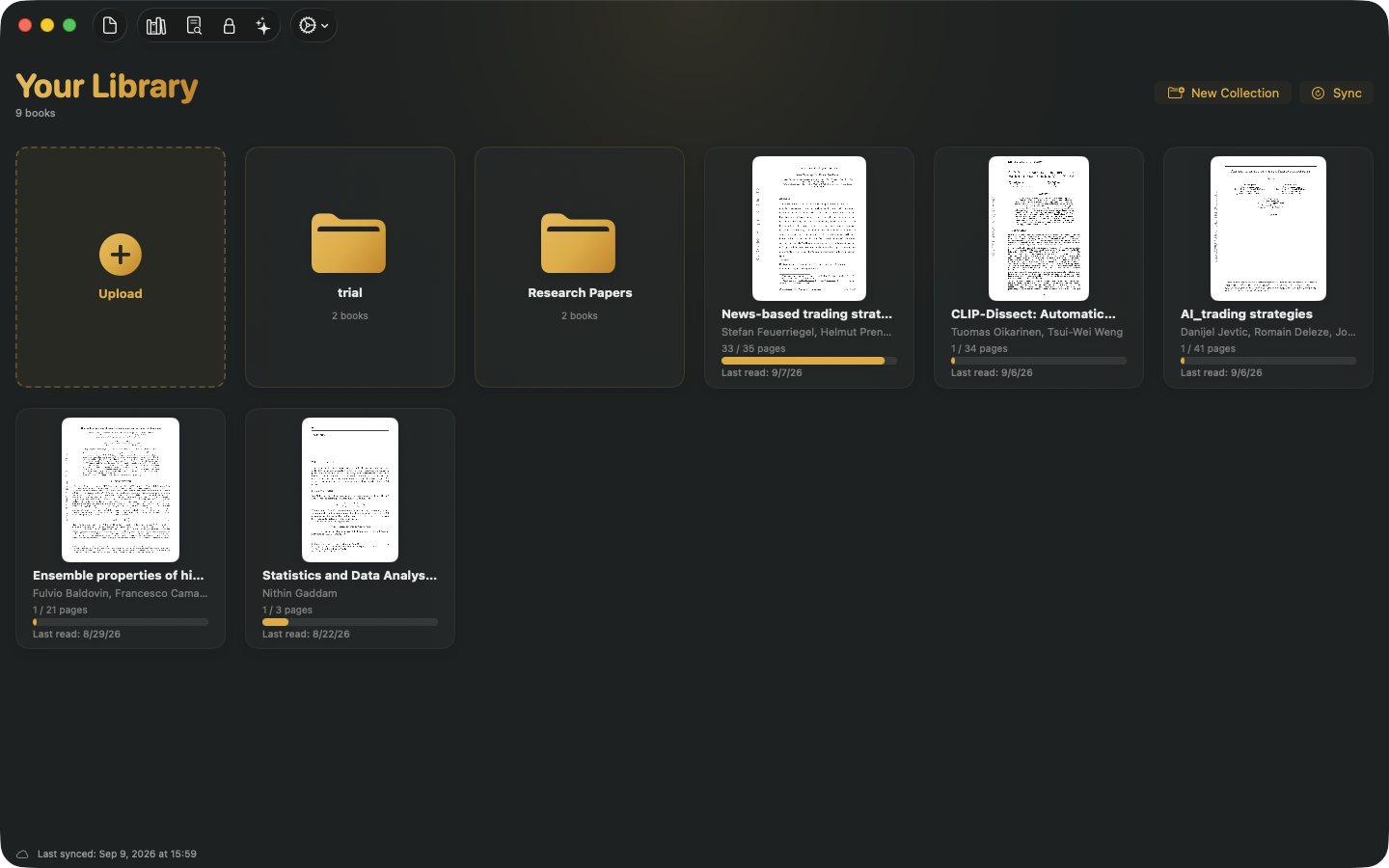
Click New Collection in the library header, name it, and it appears as a folder alongside your books. Folders show how many books they hold, and opening one shows just those books - everything else stays out of the way.
File a book with a right click
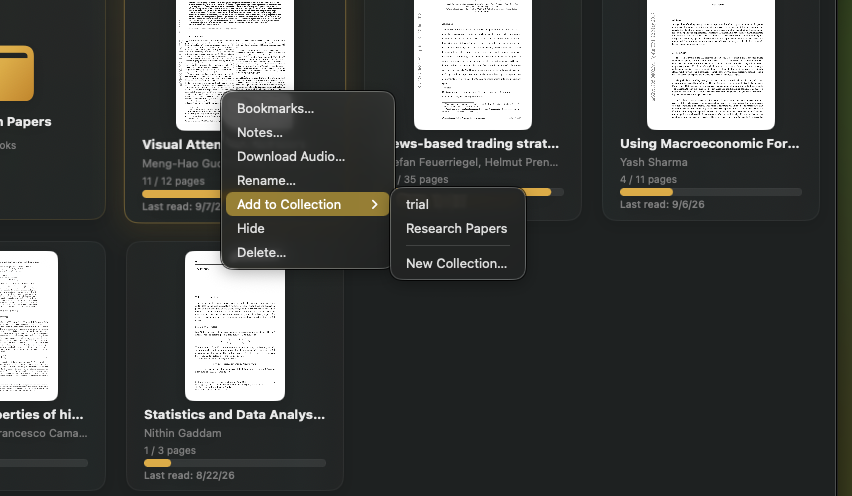
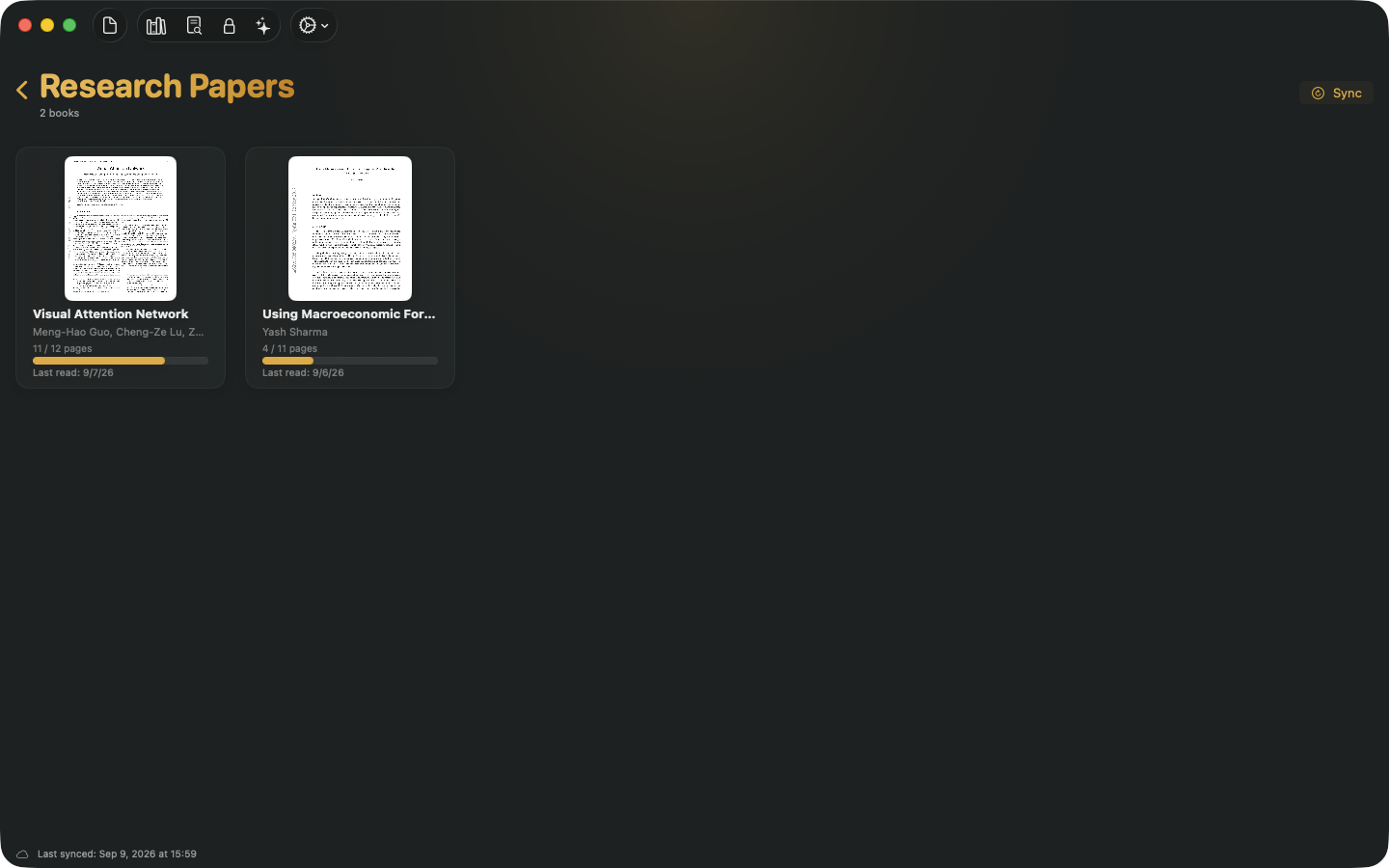
Right-click any book and choose Add to Collection. Pick an existing collection, or create a new one on the spot - the book moves in immediately. A filed book leaves the main shelf, and Remove from Collection puts it back.
Rename, rearrange, delete
Collections are made to be reorganized. Right-click a folder to rename it, move it left or right to arrange the shelf the way you want, or delete it. Deleting a collection never deletes books - they simply return to your library.
They sync through iCloud
Collections travel with the rest of your library. Create a collection or move a book on one Mac and the same shelves appear on your other Macs, with edits from any device winning by recency. The iPhone companion app picks collections up in an upcoming update.
Also in 1.28
- Steadier narration on tricky layouts. Reading order in multi-column papers is more reliable, figure regions no longer swallow nearby text, and tables are narrated properly instead of being read straight across.
- arXiv search remembers recent results. Repeat a search in Find Papers and results appear instantly. Papers you already narrated reopen directly from search, and a paper being processed keeps its progress spinner until it is actually ready.
How to update
- In the app: choose Check for Updates from the Unknown menu. The update installs in place and keeps your whole library.
- Fresh install: download the latest version from unknown.ac.
You have everything above if About Unknown shows 1.28 or later.
Unknown turns the PDFs and EPUBs you own into interactive audiobooks - narrated by lifelike on-device voices, highlighted in sync, and on a Mac nothing is uploaded.
Download Unknown for Mac →7 days free on yearly and monthly · macOS 14.1 or later
FAQ
What happens to the books in a collection I delete?
They go back to your main library. Deleting a collection only removes the folder - no book, narration or reading progress is ever touched.
Can a book be in two collections at once?
A book lives in one collection at a time. Filing it somewhere else just moves it - choose Add to Collection again and pick the new folder.
Do collections sync to my iPhone?
Collections sync through iCloud alongside your books, notes and reading progress. The iPhone companion app will show them in an upcoming update.
Do I need to re-process any books?
No. Filing a book into a collection is instant and does not change its narration. The layout and table improvements apply to documents processed from 1.28 onward.