What's new in Unknown 2.1
New in Unknown 2.1: the Mac app has been redesigned from the ground up, and it now helps you actually finish the books you turn into audiobooks. Set a reading goal and Unknown books listening sessions into your calendar, clears your screen when each one starts, and keeps a streak of the days you showed up.
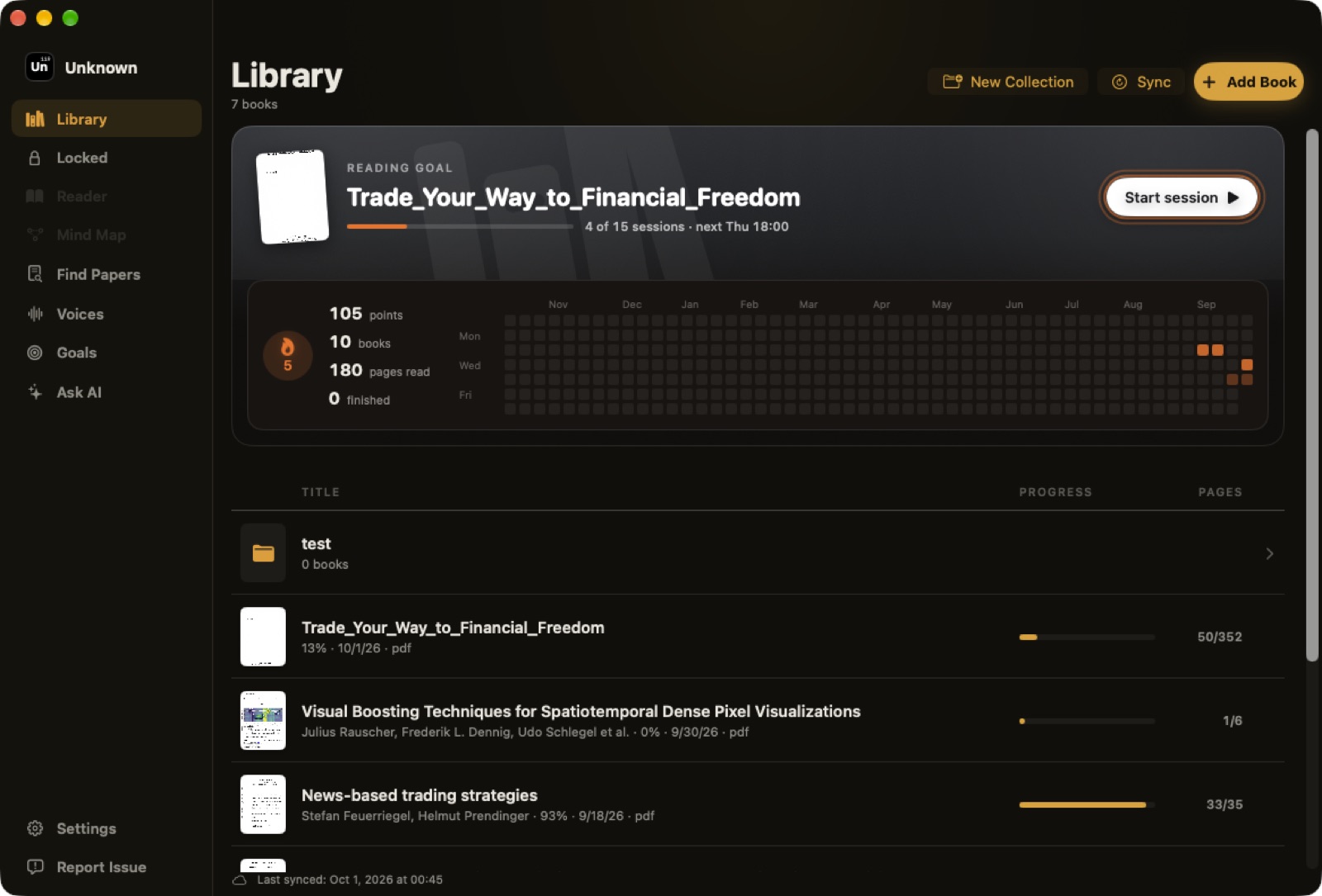
A new look for every screen
2.1 replaces the toolbar with a sidebar: Library, Reader, Mind Map, Find Papers, Voices, Goals and Ask AI are each one click away, and every screen shares the same warm graphite and amber design. The library is now a clean list with a progress bar and page count for every book, and collections sort by the book you played most recently.
Reading goals booked into your calendar
Pick a book and choose how you want to finish it: keep a pace (Easy, Steady or Sprint, or your own minutes per day) or finish by a date, and Unknown works out the minutes for you. A week view shows exactly where the sessions land around your meetings before you commit, and the sessions go straight into your calendar.
Upload a new book and Unknown offers to set a goal for it right away, estimating the listening time before the narration has even finished. If you miss sessions or listen slower than planned, the plan quietly replans itself so the book still gets finished.
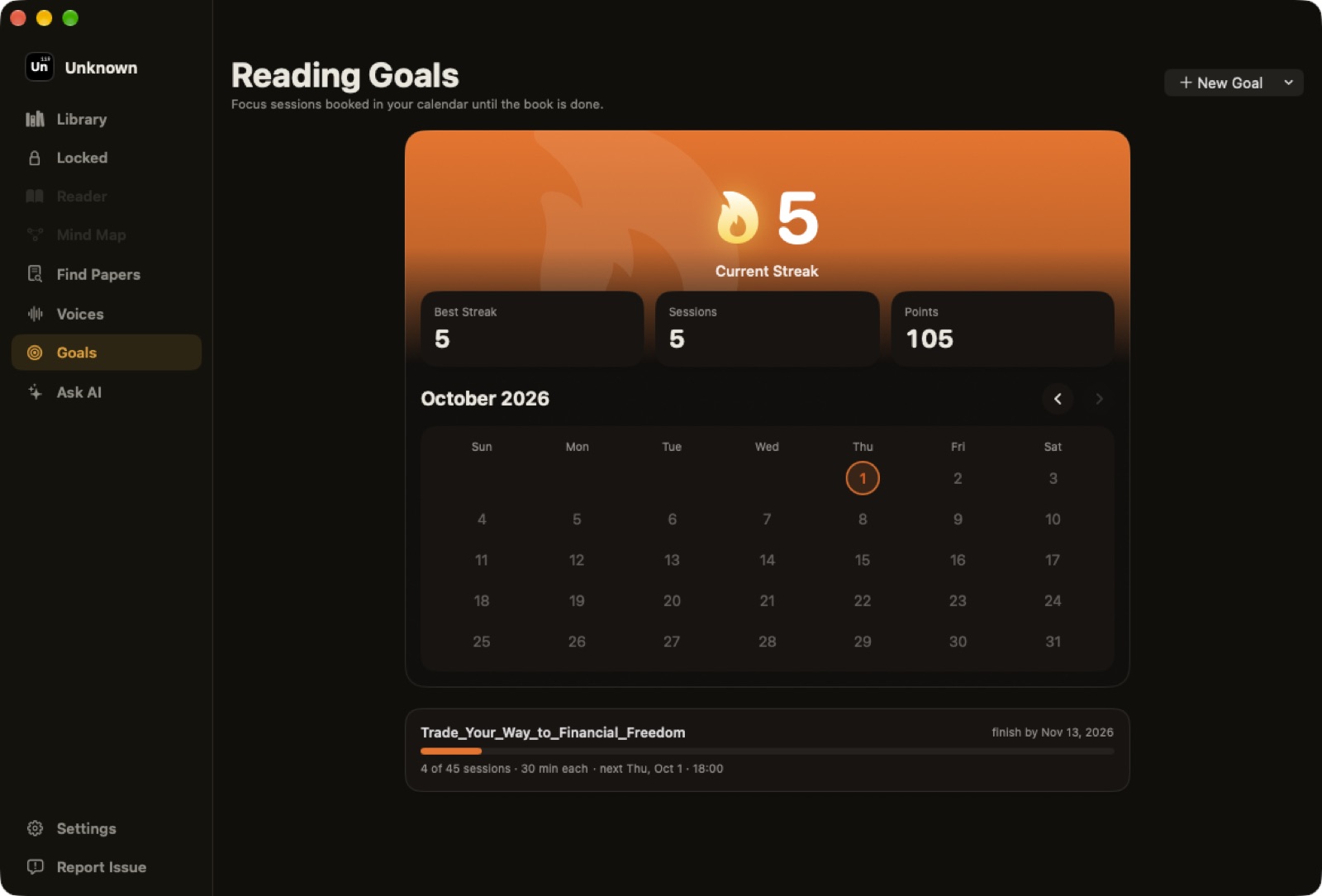
Focus sessions that clear the screen
When a session starts, Unknown takes over your screens with the book and nothing else. Music or video playing in other apps is paused, a short spoken recap brings you back up to the exact point where you resume, and the reader's controls - scrubbing, skipping, speed, pages - all keep working. If something comes up, a session you stop can be picked up again within a day without losing what you already listened to.
Sessions are polite about real life: they wait while you are on a call, sharing your screen, or have the Mac locked, and you can skip one a week.
Streaks, points and an activity grid
Every finished session counts toward a streak, earns points, and lights up a day on a year-long activity grid in your library, shaded by how much you listened. Hover any day to see what you read.
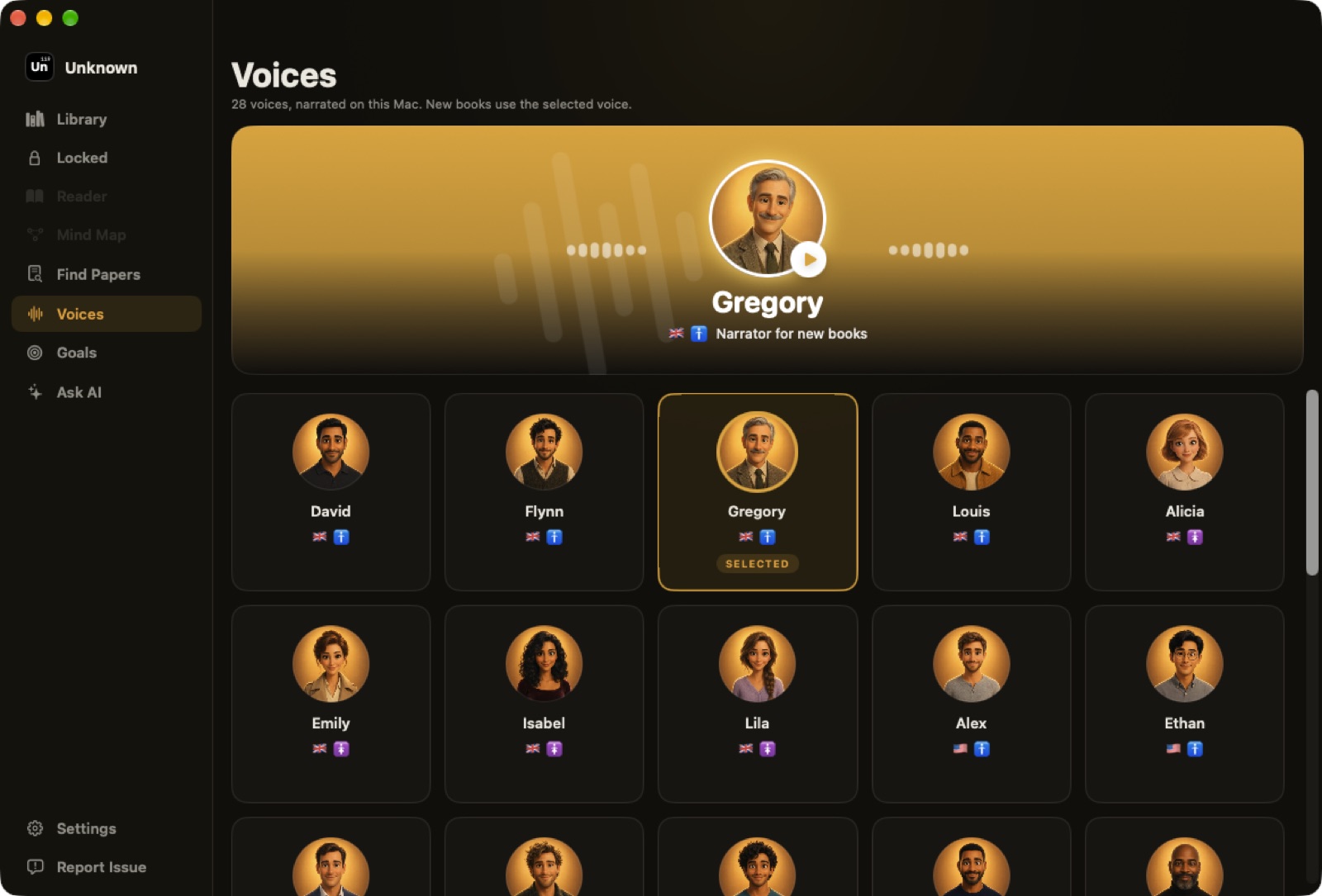
28 voices, each with a face
The new Voices screen shows every narrator as an animated character, with a hero card that plays a sample with a live equalizer. Pick one and it narrates every new book you add.
Smaller touches
- Ask AI, redesigned. Chat with your book in a cleaner panel that stays readable in narrow windows.
- Mind maps that move like a canvas. Drag to pan, Shift or Command drag to select, and the same zoom control as the reader.
- A Locked shelf. Hidden books live on their own shelf, still count in your library stats, and stay unlocked for 10 minutes after you open them.
- Reprocess a book. Right-click a book in the Library and choose Reprocess to rebuild it with the latest text and narration pipeline, keeping your place.
- A tidier calendar. Unknown checks your calendar before booking a session and never books the same one twice, even when it replans.
- A new first run. Onboarding asks what you read, lets you pick a voice, and shows read-along in action before you add your first book.
How to update
- In the app: Unknown installs updates on its own, or choose Check for Updates from the Unknown menu.
- Fresh install: download the latest version from unknown.ac.
You have everything above if About Unknown shows 2.1 or later.
Unknown turns the PDFs and EPUBs you own into interactive audiobooks - narrated by lifelike on-device voices, highlighted in sync, and on a Mac nothing is uploaded.
Download Unknown for Mac →7 days free on yearly and monthly · macOS 14.1 or later
FAQ
Do reading goals need a calendar?
Unknown asks for calendar access so sessions land around your meetings, but adding the sessions to your calendar is optional. With it off, Unknown still plans the sessions and opens them on time.
Can I get out of a focus session early?
Yes. Hold the end button for a few seconds to stop. A stopped session can be resumed within 24 hours and keeps the listening you already did.
What happens if I miss a session?
Unknown replans the rest of the goal around your calendar so the book still gets finished, pushing the finish date out if it has to.
Will updating change my library?
No. Your books, narration, progress and settings carry over to 2.1 as they are.