Report a bug by recording it
New in Unknown 1.31: when something misbehaves, you don't have to describe it - you can show it. Report Issue now records the app window while you walk through the problem and narrate into the mic. Pause, start over, preview the clip, and send it - no typing required.
Show us, don't write an essay
Writing a good bug report is work: what happened, what you expected, the steps to get there. Most of that effort disappears when we can simply watch the problem happen. 1.31 puts a Record the App button at the top of the Report Issue form. Click it, then do the thing that's broken - point at it, and say what you're seeing in your own words. The recording captures the app's window and your voice from the microphone.
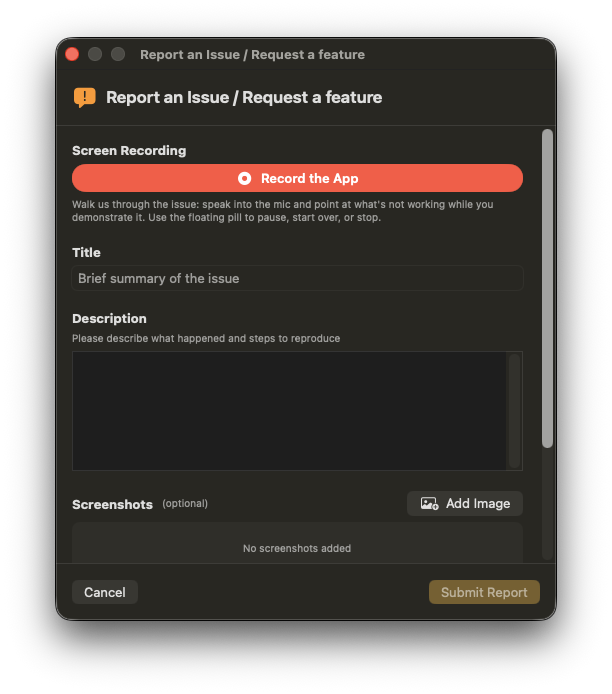
While you record, the report form gets out of your way and a small floating pill appears above the app window with the elapsed time. From it you can pause and resume, start over if the take went sideways, or stop when you're done.
Preview before you send
Stopping the recording brings the report form back with the clip attached. A Preview button plays it right there, so you can check what you're about to share - and remove it and re-record if you want. Nothing leaves your Mac until you click Submit Report.
No typing required
With a recording attached, the title and description become optional. If the clip says it all, hit Submit and you're done - the recording, your narration, and the app's own logs give us everything we need to chase the problem down.
Easier to reach, and not just for bugs
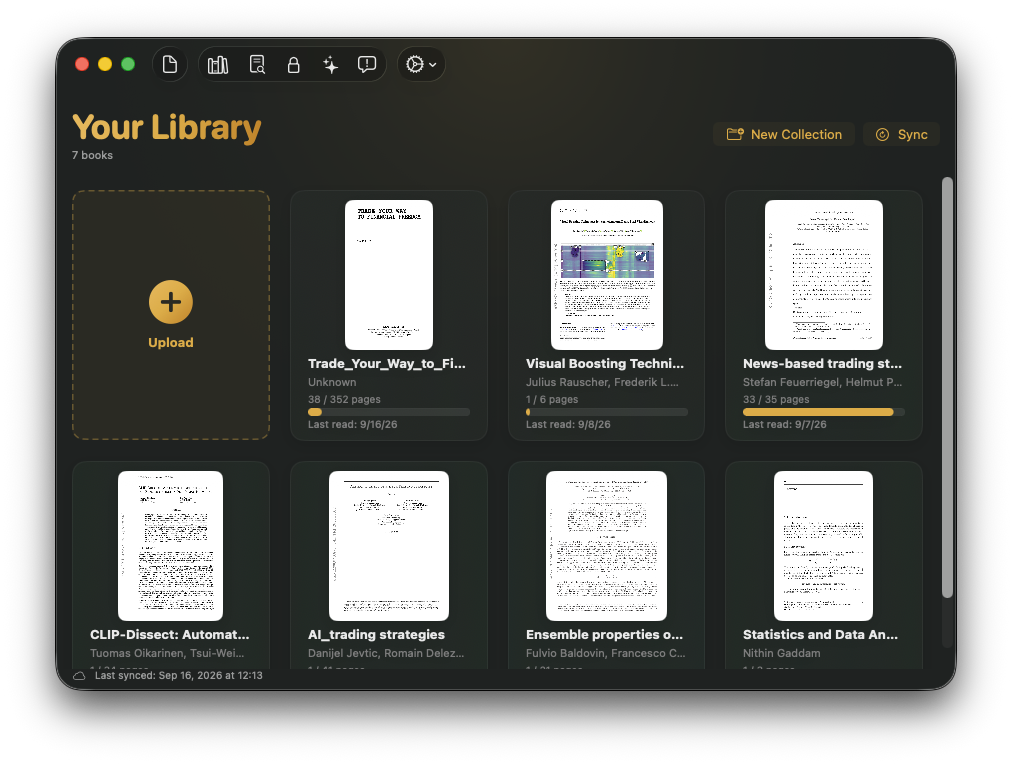
Report Issue now has its own button in the toolbar - the speech-bubble icon next to Settings - instead of hiding inside the settings menu. And since the same form is the shortest path to our ears, it's now titled Report an Issue / Request a feature: if Unknown is missing something you want, tell us there and it lands in front of us the same way bugs do.
What gets recorded
- Only the app's window. The recording is filtered to Unknown's own window - it never captures the rest of your screen, other apps, or your desktop, even if they're in front of it.
- Your voice. Audio comes from the default microphone so you can narrate. macOS asks for permission the first time.
- Nothing until you send. The clip stays on your Mac, you can preview or delete it, and it's only uploaded when you submit the report.
How to update
- In the app: Unknown updates itself in the background - or choose Check for Updates from the settings menu to get 1.31 on the spot.
- Fresh install: download the latest version from unknown.ac.
Unknown turns the PDFs and EPUBs you own into interactive audiobooks - narrated by lifelike on-device voices, highlighted in sync, nothing uploaded.
Download Unknown for Mac →Free for 50 pages a month · macOS 14.1 or later
FAQ
Does it record my whole screen?
No. The capture is limited to Unknown's own window. Other windows, other apps, and your desktop are never in the video - even if they overlap it.
Can I check the recording before it's sent?
Yes. The clip is attached to the report with a Preview button that plays it in place. You can remove it and record again, and nothing is uploaded until you click Submit Report.
Do I still have to write a title and description?
Not if a recording is attached - both become optional. Without a recording the form works as before.
Does screen recording need a newer macOS?
The recording button appears on macOS 15 (Sequoia) and later. On earlier versions the rest of the report form - text, screenshots, and video attachments - works the same as before.